Viewing Encounter Notes / Ending Encounters from Group Therapy Session

Contents
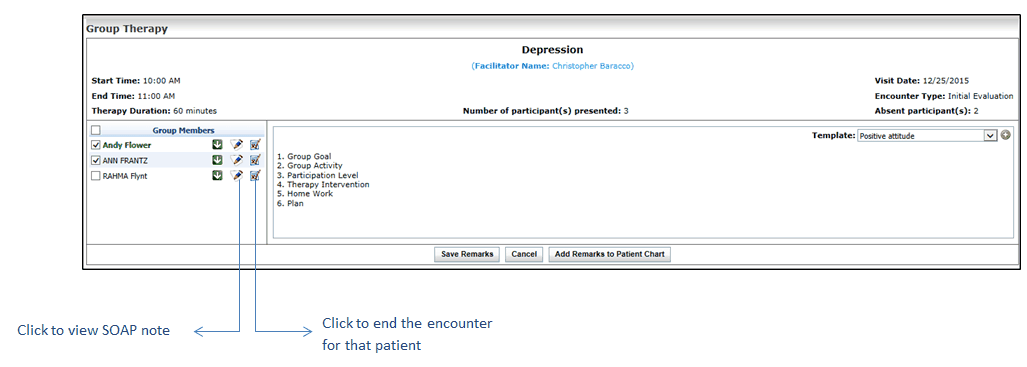
In order to access the Encounter note of the patient or to end the encounter, you do not need to access the Facesheet screen. On the Group Therapy screen, you can view the Encounter note as well as end the encounter of the patient, if required.
To view Encounter note or end encounter of the patient:
1. On the top menu bar, click Scheduler.
2. Locate the time slot you have configured for group therapy session.
3. Start new encounter or edit an in-progress encounter.
4. On the Group Therapy screen, do the following:
| • | To access patient’s Encounter note, click the Encounter note icon next to patient name. |
| • | To end the encounter, click the End Encounter icon next to patient name. |