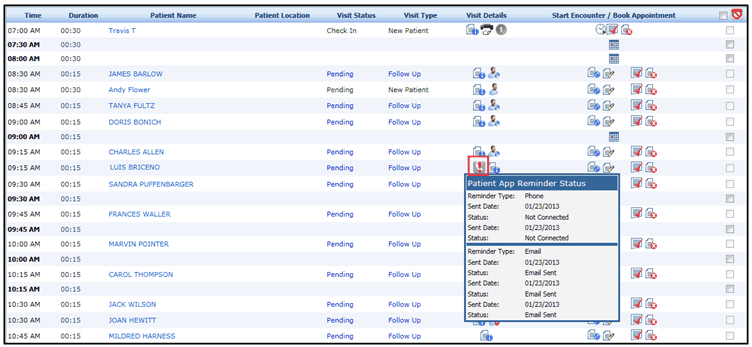
Viewing Patient Appointment Reminder Status

Contents
When you send the appointment reminder requests to the patients, they may or may not respond to your requests especially when they receive requests through phone reminder. The system captures such responses and displays them on a popup screen on the Scheduler Appointment screen. The different statuses are as follows:
 : This icon is displayed for all reminder requests sent.
 : This icon is displayed for the reminder requests that are rejected by the patients.
 : This icon is displayed for the reminder requests that are accepted by the patients.
 : This icon is displayed for several other reasons. The reasons may include:
| o | Email sent or failed |
| o | Text message sent or failed |
| o | The recipient pressed wrong key etc. |