Recording Procedures

Contents
You can record procedures within templates. You can either use a default template or customized template designed by you, which means you can record procedures as per your needs as well as record repetitive details without any hassle.
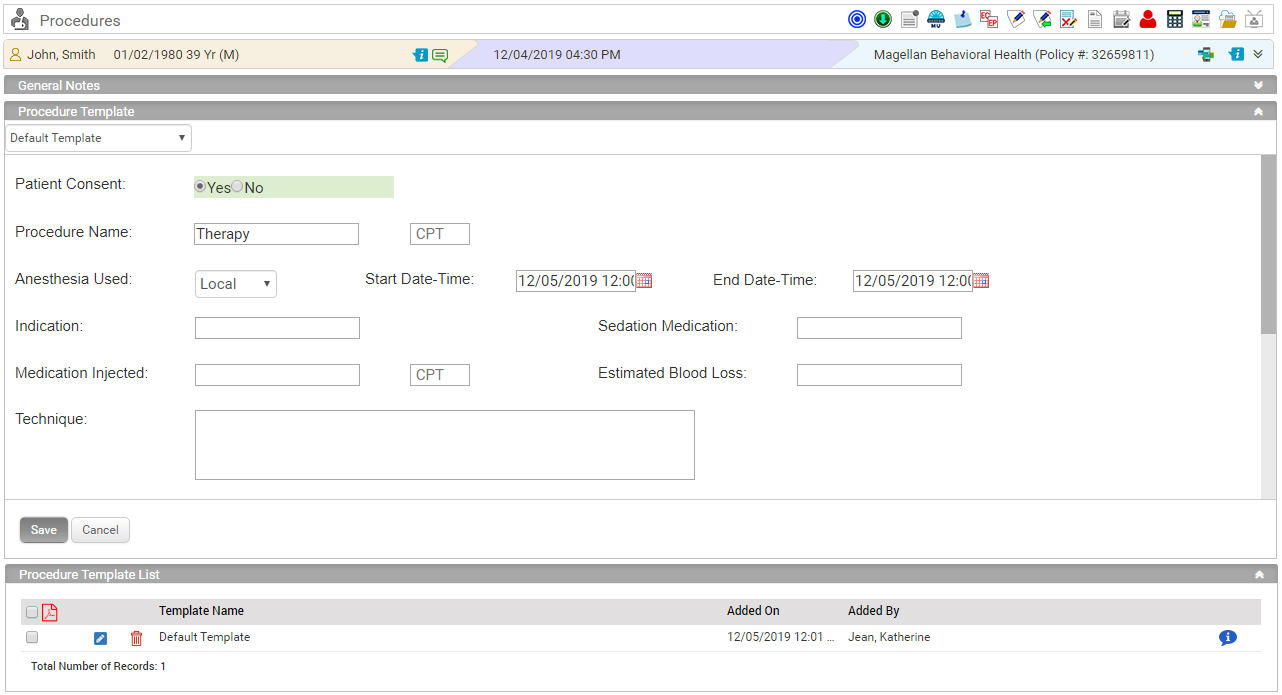
You can access procedure templates by clicking on the new charting element ‘Procedures’.
| • | In the charting elements ribbon, click Procedures. The Procedure screen is displayed. |
| • | Click on the General Notes section to add general notes related to procedure. |
| • | To record a procedure: |
1. In the Procedure Template section, a Default Template appears. You can select the required template from the drop down.
2. Record the Procedure details and click on save.
| o | You can edit the templates by clicking this  icon. icon. |
| o | You can delete the template by clicking this  icon. icon. |
| o | You can also view the template in PDF format by clicking on this  icon. icon. |