Introduction
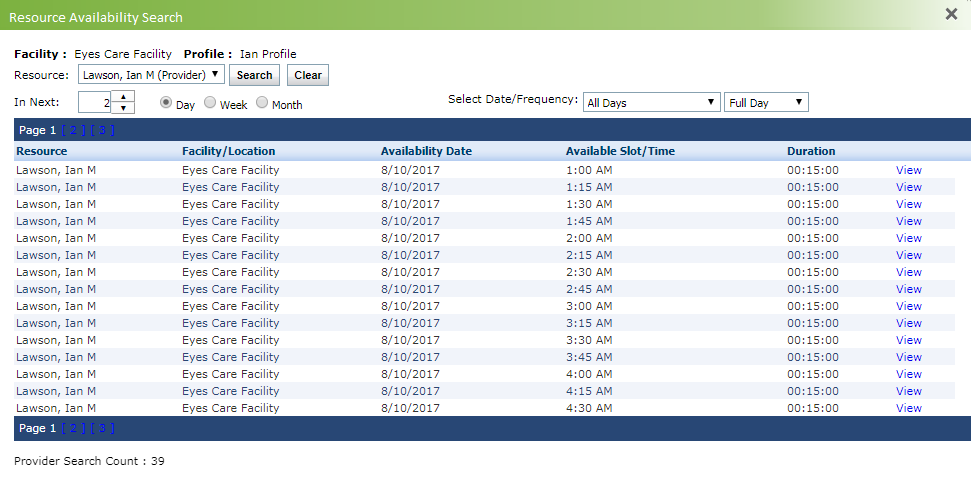
The Resource Availability Search feature allows searching for provider’s availability on a particular date or time.
Searching Resource Availability
| 1. | From the left menu items, click Scheduler. |
| 2. | Click the  icon to open Resource Availability Search screen. icon to open Resource Availability Search screen. |
| 3. | Select the provider from the drop down list for which you want to search for availability. |
| 4. | Select the range for which you want to search availability (e.g., next 3 days). You can increase the duration by selecting appropriate options. |
| 5. | Click Search and the list of available time slots is displayed as per the search criteria. |
| 6. | To filter appointments by particular day, use the All Day drop down. |
| 7. | To filter appointments by particular period of the day, use the Full Day drop down. |
| 8. | Click View to view that time slot on the Scheduler screen to book an appointment. |