Configure Claim Search

Contents
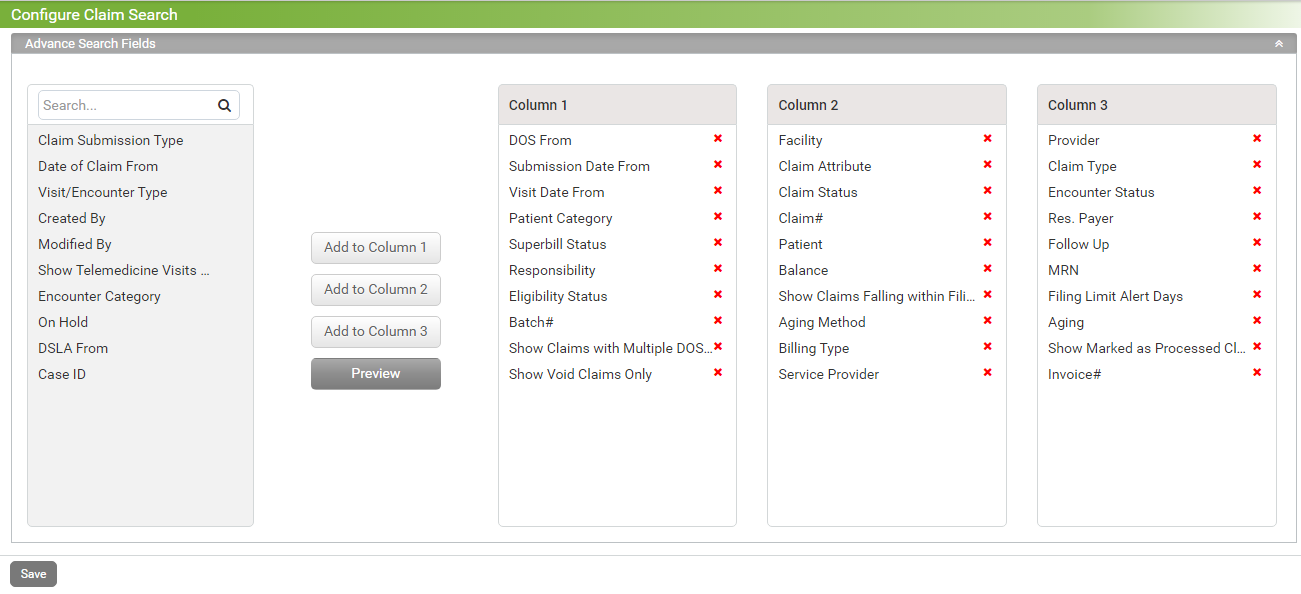
The Configure Claim Search screen is used to configure search fields available on the Claims screen.
To configure search fields:
| 1. | From the left menu items, select Administration > PM > Configure Claim Search. |
| 2. | Click Add to Column 1, Add to Column 2, Add to Column 3 button to add selected field to any respective column as per requirement. |