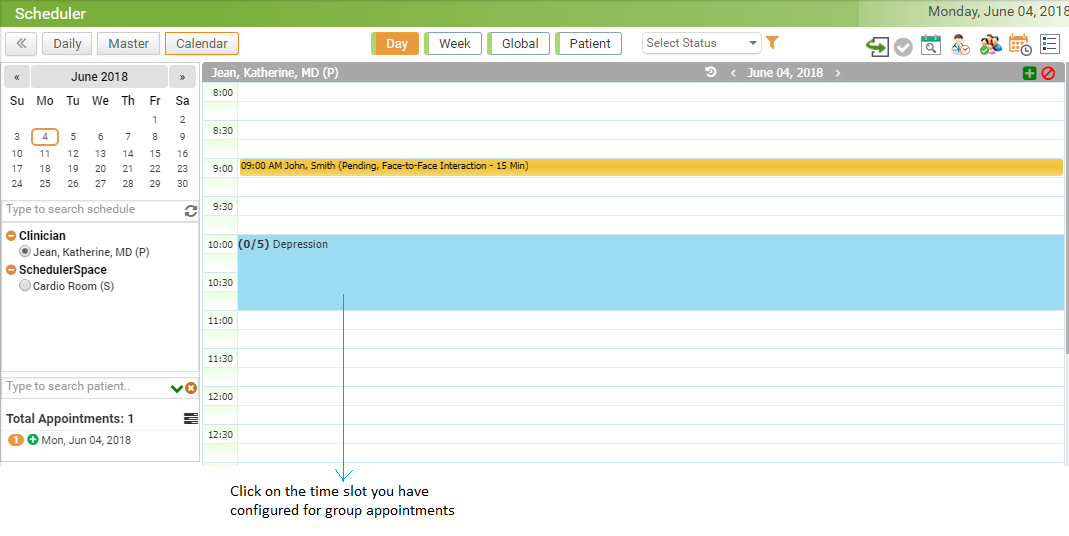
Once you configure the Group Therapy appointment from Scheduler Setup, you can start booking appointments for the patients for whom you want to conduct group therapy sessions. On the Scheduler screen, the time slot you have configured for group therapy session will appear along with Therapy Name and number of allowed participants. You can book the appointments for therapy session same as the way you book the appointments for other visit types.
To book the appointments for group therapy sessions:
| 1. | On the top menu bar, click Scheduler. |
| 2. | Locate the time slot you have configured for group appointments. |
| 3. | Enter or select patient name. |
| 4. | Select Visit Status and Visit Type. |
| 5. | Click Book Appointment. |
| 6. | Repeat this exercise until you book appointments for all attendees. |
To book the appointments for preconfigured group:
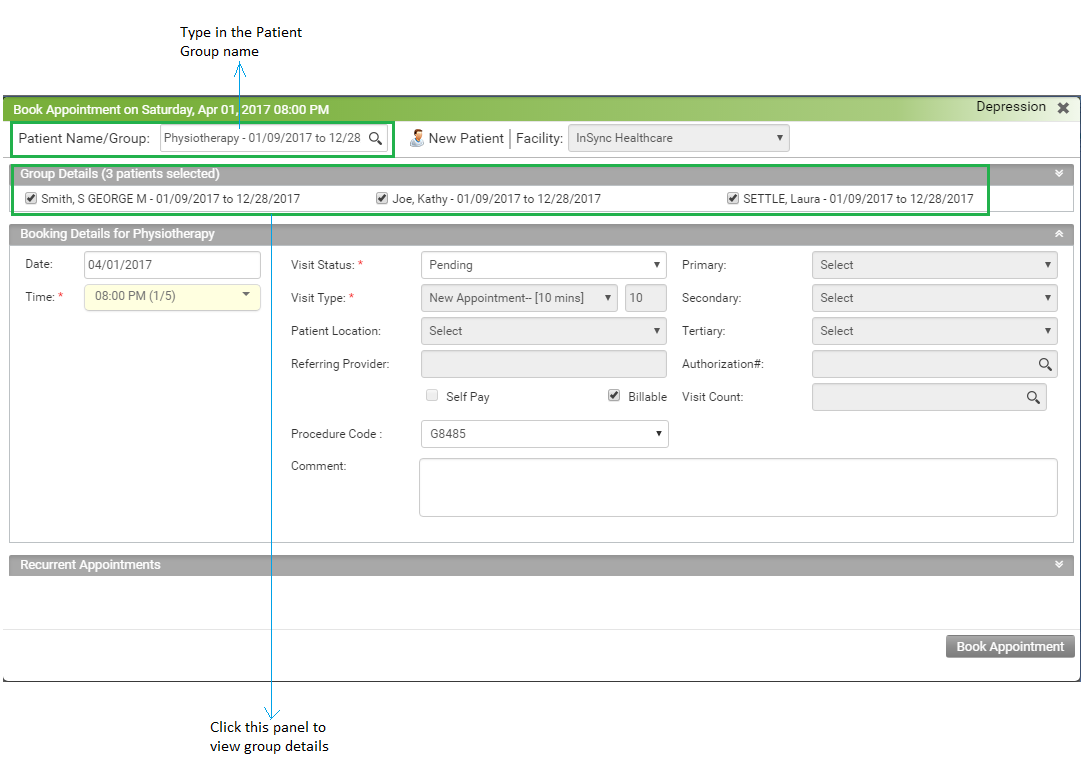
| 1. | When booking a group appointment on the fly you can book a preconfigured group. |
| 2. | Type in a group name in the box and a list of groups will appear. |
| 3. | Select a group for which you want to book an appointment. |
| 4. | Locate all the patients of that group listed in the Group Details panel. If you do not want to include some of the patients, you can clear the check box for those patients. |
| 5. | Click Book Appointment. |
Notes:
| • | You can start encounter after all attendees that are checked-in. Once the encounter is started, you cannot book any more appointments for group therapy session. |
| • | If you want to book appointment for more patients than the configured number, then you should first cancel any existing appointment from the list. |