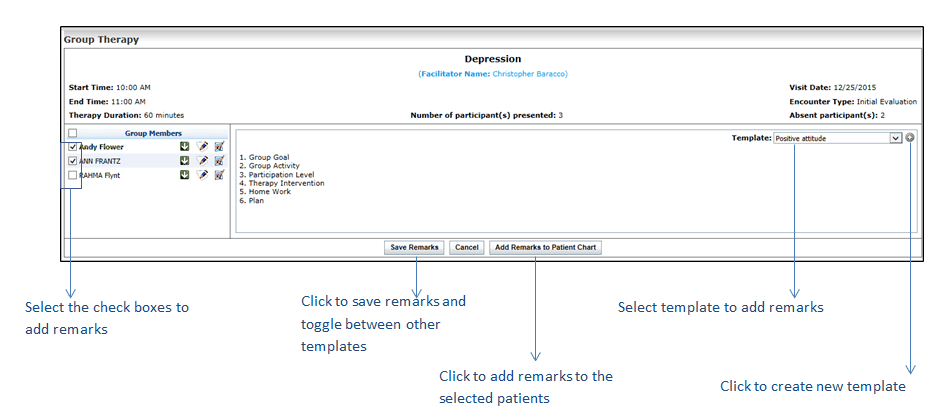
When you conduct a therapy session with the group of patients, you may want to define the group goal, group activity, participation level, therapy intervention, home work for patients, further plan, and so forth. For all these activities, you can design a template and use it when conducting different therapy sessions. Once remarks are captured, you can also add them to the patients chart.
To add remarks to patients chart (using templates):
| 1. | On the top menu bar, click Scheduler. |
| 2. | Locate the time slot you have configured for group therapy session. |
| 3. | Start a new encounter or edit an in-progress encounter. |
| 4. | To collapse the Group Member column, click the  icon. This increases the size of the remarks box. icon. This increases the size of the remarks box. |
| 5. | To use a template on the Group Therapy screen, do the following: |
| • | To create a new template, click the icon next to the Template field. |
| • | To use the existing template, select the one from drop down list. |
| 6. | On selecting the template, all the template details appear on the Group Therapy screen. |
| • | To save the remarks, click the Save Remarks button. |
| • | To add remarks to patients chart, select one or more patients from the left pane, and click the Add Remarks to Patients Chart button. |