Accessing Other Charting Elements From Group Therapy Session

Contents
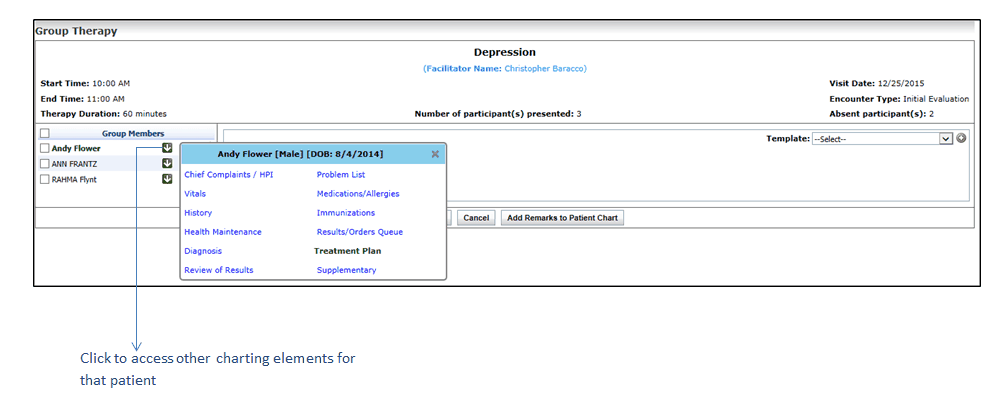
Users can access patient’s other charting elements such as Chief Complaints, Problem List, Physical Exam, Vitals, and so forth. On the Group Therapy screen, you can click the down ( ) arrow next to the patient name that will show all the other charting elements. You can access any of the charting elements by clicking the link. Clicking the “Back to Group Therapy” link bring you again on the Group Therapy screen.
To access other charting elements from the Group Therapy screen:
1. On the top menu bar, click Scheduler.
2. Locate the time slot you have configured for group therapy session.
3. Start a new encounter or edit an in-progress encounter.
4. On the Group Therapy screen, click the down arrow key next to patient name.
5. A popup appears with the list of charting elements.
6. Click the charting element to access it.